A free countdown timer for presentations, conferences, worship services, and live broadcasts. The same traffic-light concept used in hardware stage timers — now in a desktop app with a rundown, a web remote for your phone, a browser source for OBS, a stopwatch, clock, buzzer, blackout, and modern integrations.
v1.2.0 — September 24, 2026
StageTime started as a software version of the hardware countdown timers you see on stages everywhere — the ones with a big clock and a traffic light. All the core features that make those units reliable are here, plus a Companion module that puts your timer controls right on your Stream Deck and an HTTP API for automation. And it runs on hardware you already own.
Keep keynotes and breakout sessions on schedule with a speaker timer the presenter can read from the lectern, and a rundown that tells you how far over each one ran.
A countdown to the start of the service, a timer for the message, and a confidence monitor the whole team can see. Runs on the computer you already have at the tech table.
Drop the timer into OBS or vMix as a browser source, key it over video with the blue background, and drive it from a Stream Deck through Companion.
A QLab-style cue list for timed segments, a clock for pre-show and intermission, and a blackout button for the moment the house goes dark.
Timed talks, thesis defences and student presentations with a wrap-up warning, an overtime display, and messages the moderator can push to the screen.
Equal time for every contestant with presets for each round, a buzzer at zero, and a web remote so a judge can run it from a phone.
Green when there's time, yellow at your wrap-up threshold, red at zero. A large, high-contrast display designed to be read from across any stage.
Count down with overtime shown in red past zero, or freeze at 00:00. Run a stopwatch with optional milliseconds. Or show the time of day in any time zone for holding screens and pre-show.
Enter the moment a session has to end and StageTime sets and starts a countdown that hits zero right then. The remote shows the ends-at time while it runs.
Push a short message onto the display, full screen or beneath the timer. Save the ones you use most as one-tap quick messages, or have one appear automatically at zero.
A cue list in its own window: name your segments, set their times, press GO. StageTime records how long each one really ran and how far over or under it went, and can auto-advance at zero.
Open the remote in a browser on your phone or a second laptop, protected by a PIN. Same controls, same rundown, kept in sync with the app both ways.
Save as many named presets as you need for recurring session lengths. Load one and the timer is set — no manual entry, no mistakes during a fast changeover.
A built-in REST API on a configurable port, with a live Server-Sent Events feed and an optional API key. Start, stop, set time, show messages, fire cues, black out the display, and read status from anything on the local network. A connection log shows who's talking to it.
StageTime ships with a Bitfocus Companion module. Map buttons to start, stop, set time, load presets, show messages, and switch modes. Feedbacks mirror the traffic-light color on your Stream Deck. Variables put the live countdown on any button. Install the module, point it at StageTime's IP and port, and you're controlling the timer from your surface in seconds. Module 1.2 covers everything: the rundown (GO, standby, auto-advance, live cue name and over/under on your buttons), blackout, buzzer, quick messages labelled straight from the app, count down to a clock time, mirrors, and every option, with feedback that updates the instant the timer does. Supports StageTime's API key.
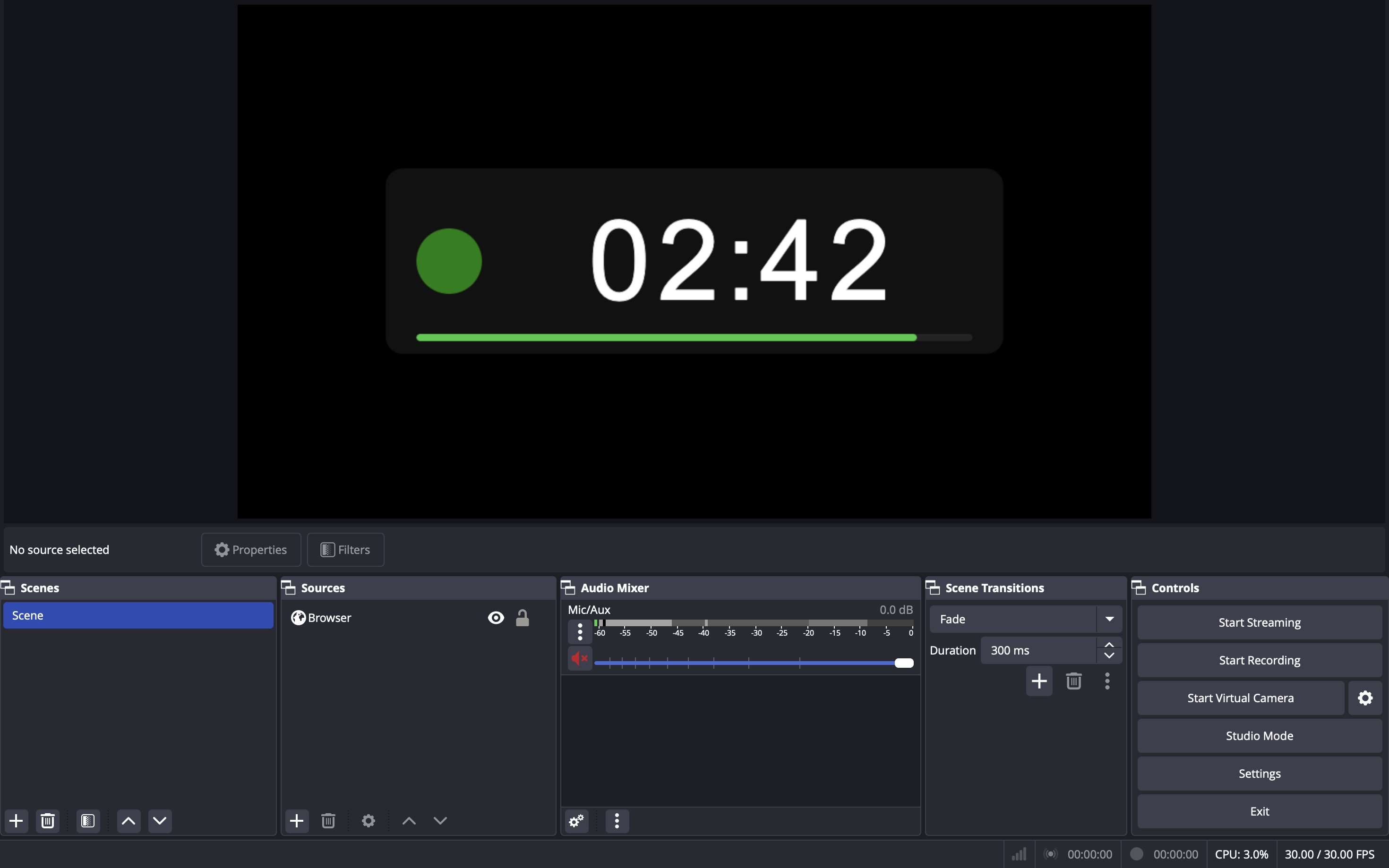
Put the timer on every screen that needs it. Mirror the display to as many monitors as you have plugged in — a confidence monitor on each side of the stage, one at the tech table. Drop it into OBS or vMix as a browser source, with a transparent background if you want it over video. Every copy shows exactly what the room sees, always in step.
Everything you need on one screen and nothing you don't. Pick Countdown, Stopwatch, or Clock and the remote shows only the controls that apply. A big readout at the top mirrors the display, so you always know what the stage is seeing. Open the same remote on your phone, hand a Stream Deck to a stage manager, or fire cues from the rundown — whoever presses the button, every surface follows, and your settings are remembered next time.
Set a threshold in minutes and seconds. When the countdown drops below it, the light goes from green to yellow.
The red indicator flashes at a half-second interval the moment the timer hits zero. Add a red glow that pulses around the timer box for something a speaker can't miss from the lectern.
Three short beeps when the countdown reaches zero, or your own MP3 or WAV with a volume slider. The Test button asks for confirmation first, so it can't fire by accident into a live line.
Past zero, the digits turn red with a leading minus sign so overtime is unmistakable. Or freeze at 00:00. Change it on the fly from the remote or Companion.
One button, or the B key, turns the display fully black instantly (blue when the keying background is on, so the key stays clean). The timer keeps running underneath and comes back exactly where it should.
An optional bar under the digits, colored to match the light, a small time-of-day clock in one corner, and the wall-clock time the countdown will end in the other.
Switch the display background from black to blue for chroma-key compositing — useful when you need to key the timer over a video feed or IMAG output.
The display goes fullscreen on your external output and the remote stays on your screen. Plug in a monitor and the display moves there; unplug it and it falls back to a window. A running timer survives the move.
The timer is derived from the system clock rather than counted in ticks, so it never loses seconds when the machine is busy or the display is in the background.
StageTime is a free countdown timer application for macOS and Windows built for live events. It puts a large traffic-light timer on a stage display or confidence monitor and gives the operator a remote, a rundown, a web remote for phones, a browser source for OBS and vMix, an HTTP API, and a Bitfocus Companion module for Stream Deck control.
Yes. StageTime is free to download and use, with no account, license key, trial period or paid tier. It is made by Wake Media, a live-event production company, and donations are optional.
A Mac running macOS 13 or later (Apple Silicon or Intel) or a PC running Windows 10 or later, and ideally a second display, projector or confidence monitor for the timer. It works completely offline; no internet connection is needed during a show.
It uses the same traffic-light idea as hardware stage timers: green while there is time, yellow at the wrap-up threshold, red at zero, and red overtime past zero. But it runs on hardware you already own, and adds messages to the speaker, presets, a rundown with actual run times, a web remote, a browser source for video, Stream Deck control through Companion, and an HTTP API.
Yes. StageTime has an official module in the Bitfocus Companion module store. Buttons can start, stop, set and add time, load presets, show messages, fire rundown cues and black out the display; button colours follow the traffic light and variables put the remaining time on any button.
Yes. StageTime serves the display as a browser source URL with a black, blue or transparent background, so OBS and vMix can show exactly what the room sees. The blue keying background also works with a hardware chroma keyer, and the display can be mirrored to any number of extra monitors.
Yes. The web remote opens in any browser on the same network, protected by a PIN, and gives a phone or laptop the same controls as the app, including the rundown with a live preview of the display.
Yes. The rundown is a QLab-style cue list: name each segment, set its time, and press GO. StageTime records how long each cue actually ran and how far over or under it went, and can advance to the next cue automatically at zero.
Yes. Every function is available over a local HTTP API with JSON status and a Server-Sent Events stream, protected by an optional API key. Anything that can make a web request can drive it: Companion, QLab scripts, Node-RED, a Raspberry Pi button, or curl.
StageTime is made by Wake Media, Inc., a live-event production company in Pennsylvania, and is built by people who run shows for a living.
StageTime is free. Download it and put it on your tech table.
Go to DownloadsAvailable for macOS 13+ and Windows 10+.
StageTime is free and always will be. If it's saved you time on a show, you can buy me a coffee to help fund future development.
Buy Me a Coffee